Specification
OpenTag3D Standard
Current Version: 2.004
Hardware Standard
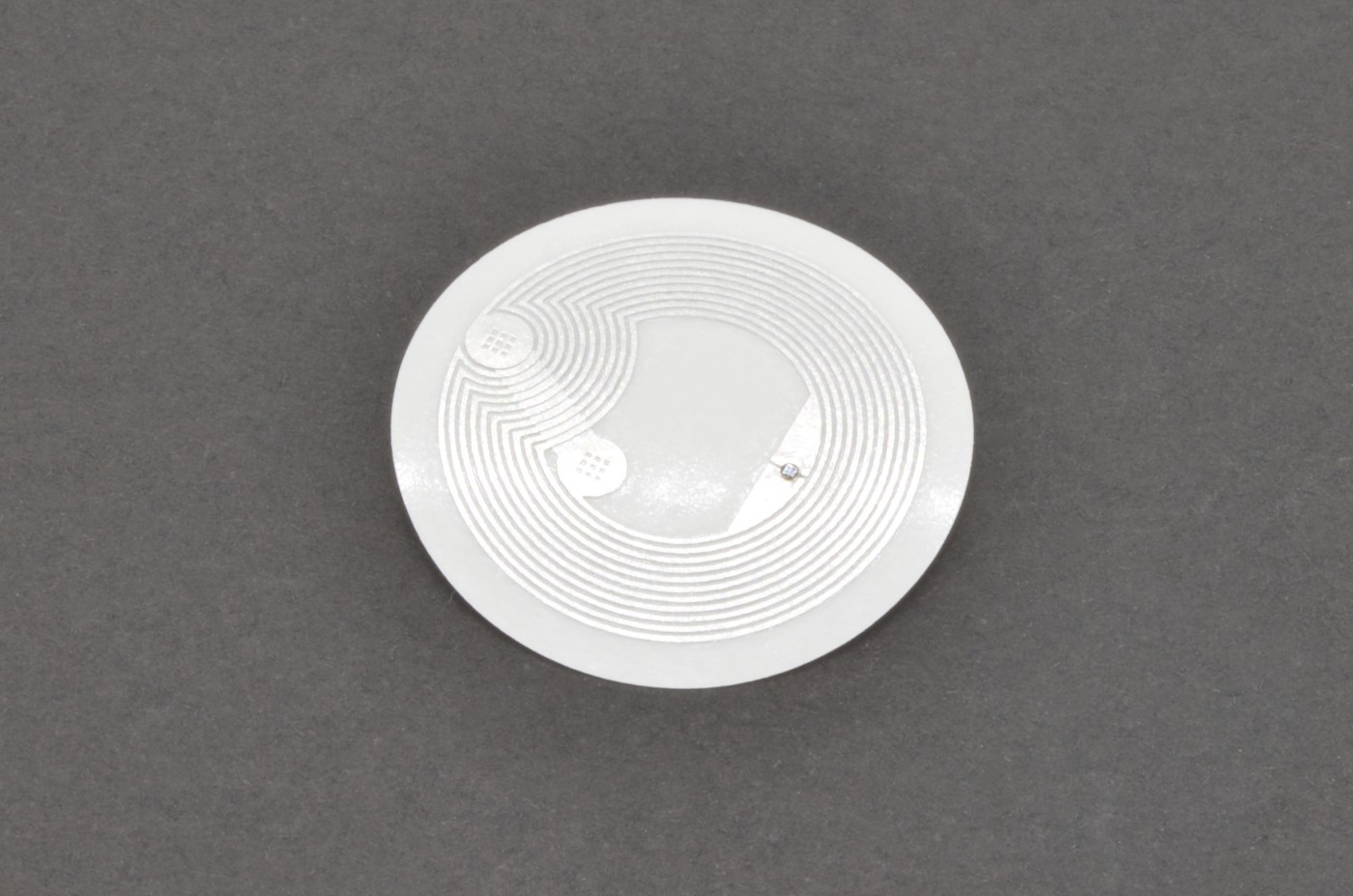
The OpenTag3D standard is designed to work on any NFC tag that is compliant with the ISO/IEC 14443 Type A communication protocol, is compatible with NDEF Type 2, and has at least 504 bytes of writable capacity. These kinds of tags are plentiful and can be read and written with smartphones and PN532 modules, making them low-cost and easy to integrate.
In particular, the standard is tailored towards the NTAG215 13.56MHz NFC chips. These tags are cheap and common, and have plenty of space to store all of the required and optional information.
| Tag Type | Total Onboard Memory | Usable Memory | Maximum OpenTag3D Payload |
|---|---|---|---|
| NTAG215 | 540 bytes | 504 bytes | 471 bytes |
| NTAG216 | 924 bytes | 888 bytes | 835 bytes |
Note
In OpenTag3D v1.0, the NTAG213 and SLIX2 were listed as compatible tags. These two tag types are no longer supported by the OpenTag3D specification.
Usable memory excludes manufacturer data, configuration data, lock bytes, and the capability container. The maximum OpenTag3D payload also accounts for the required NDEF record overhead.
NTAG vs. MIFARE 1K Classic
The NTAG215 tags were chosen over MIFARE 1K Classic tags, which is what the Bambu Lab AMS uses, for the following reasons:
- Cheap and Easy to Source: NTAG215 tags are readily available at a low cost through any online retailer
- Smartphone Support: NTAG215 tags can be read from smartphones, while MF1K requires a dedicated reader
- Backwards Compatible: The RFID hardware used for reading MF1K tags typically supports NTAG tags as well
- Non-Encrypted: MF1K uses 25% of its memory to encrypt the data, which is unsuitable for an open source standard
Mechanical Standard
The NFC tags should be placed on the spools as follows:
- The center should be roughly 60.0mm away from the center of the spool
- The tag may be placed closer or further to the center of the spool, as long as some part of the tag intersects with the 60.0mm radius
- The tag should never be more than 4.0mm away from the external surface of the spool
- For spool sides thicker than 4mm, there must be a cutout to embed the tag, or the tag should be fixed to the outside of the spool
- Two tags should be used, one on each end of the spool, directly across from each other
Data Structure Standard
The data is to be stored as a payload within an NDEF record of MIME type application/opentag3d. The data must remain unencrypted to be compliant with the spec.
All strings are UTF-8 unless specified otherwise. All integers are unsigned, big endian, unless specified otherwise.
Temperatures are stored in Celsius, divided by 5.
Below is list of data that will live on the RFID chip. All REQUIRED data must be populated to be compliant with the spec.
For any missing bytes (example: OpenTag3D defines data in 0xFF but the payload only goes up to 0xD0), treat them as “0x00”.
Important
Use spec.json as the source of truth for implementations. We strongly recommend parsing the JSON specification instead of hard-coding field addresses, lengths, types, scaling rules, or other memory-map details.
A data-driven implementation can adopt compatible specification updates by replacing its local spec.json file. The updated field layout and parsing rules can then take effect without rewriting the memory map in code. Hard-coded layouts require code changes for every memory-map update and are more likely to become outdated.
Memory Map
The data is designed to fit within the 504 bytes of writable space on the NTAG215, the most common NFC tag type around.
Address Range: 0x00 → 0xDF
| Name | Type | Unit | Start | Bytes | Usage | Examples | Description |
|---|---|---|---|---|---|---|---|
| Tag Version* | int |
version | 0x00 |
2 | operational | 1234 |
RFID tag data format version, with 3 implied decimal points. Eg 1000 → version 1.000. |
| Base Material Name* | utf8 |
0x02 |
5 | display | PLA, PETG, PCTFE, TPU |
Material name in plain text, excluding any modifiers. | |
| Material Modifiers | utf8 |
0x07 |
5 | display | CF, HF, Pro, Silk, 95A |
Material subcategory or modifier in plain text. Long modifiers may need to be abbreviated. | |
| Filament Manufacturer* | utf8 |
0x0C |
16 | display | Example Brand, Polar Filament |
Name of filament manufacturer. Long names should be abbreviated or truncated. | |
| Color Name | utf8 |
0x1C |
32 | display | Orange, White, Blue, Electric Watermelon |
Color in plain text. | |
| Color 1 Hex* | rgba |
RGBA | 0x3C |
4 | display | 255, 166, 77, 255 |
Primary filament color stored as 4 separate 1-byte integers for red, green, blue and alpha, in the sRGB color space. |
| Color 2 Hex | rgba |
RGBA | 0x40 |
4 | display | 0, 0, 0, 0 |
Second filament color, if the filament is multi-color. Set to transparent black if the filament is single color. |
| Color 3 Hex | rgba |
RGBA | 0x44 |
4 | display | 0, 0, 0, 0 |
Third filament color, if the filament is multi-color. Set to transparent black if the filament is dual color. |
| Color 4 Hex | rgba |
RGBA | 0x48 |
4 | display | 0, 0, 0, 0 |
Fourth filament color, if the filament is multi-color. Set to transparent black if the filament is tri color. |
| Serial Number / Batch ID | utf8 |
0x4C |
32 | inventory | 1234-ABCD, 2024-01-23-1234 |
Manufacturer’s identifier for a spool batch or serial number. | |
| SKU | utf8 |
0x6C |
16 | inventory | G00-A01 |
Product SKU for the material and color. | |
| Barcode | int |
0x7C |
6 | inventory | 12345543210 |
The barcode number for the spool. This can be UPC12, UPC13, GS1/GTIN. (Recommended: UPC13) | |
| Manufacture Date | date |
YYYY,MM,DD | 0x84 |
4 | inventory | 2024, 1, 23 |
Stored as 2 bytes for year, then 1 byte for month and 1 byte for day. |
| Manufacture Time | time |
UTC hh:mm:ss | 0x88 |
3 | inventory | 10, 30, 45 |
Stored as 1 byte each for hour, minute, and second in 24-hour UTC. |
| Filament Diameter* | int |
mm ÷ 0.001 | 0x8C |
2 | operational | 1750, 2850 |
Filament (target) diameter in µm (micrometers). Eg 1750 → 1.750mm. |
| Measured Tolerance | int |
mm ÷ 0.01 | 0x8E |
1 | operational | 2, 10 |
Measured tolerance in millimeters with two implied decimal points. Eg 1 → ±0.01mm tolerance |
| Minimum Nozzle Diameter | int |
mm ÷ 0.1 | 0x8F |
1 | operational | 2, 4, 6 |
Minimum nozzle diameter in mm (millimeters) with an implied decimal point. Eg 2 → 0.2mm |
| Target Print Temperature* | int |
ºC ÷ 5 | 0x90 |
1 | operational | 42 |
Recommended print temperature in degrees Celsius, divided by 5. For example, 42 = 210°C. |
| Minimum Print Temperature | int |
ºC ÷ 5 | 0x91 |
1 | operational | 38 |
Minimum nozzle temperature, divided by 5. For example, 38 = 190ºC. |
| Maximum Print Temperature | int |
ºC ÷ 5 | 0x92 |
1 | operational | 45 |
Maximum nozzle temperature, divided by 5. |
| Target Chamber Temperature* | int |
ºC ÷ 5 | 0x93 |
1 | operational | 0, 12, 16 |
Recommended chamber temperature in degrees Celsius, divided by 5. For example, 12 = 60°C. If the chamber does not need to be heated, set it to 0. |
| Target Bed Temperature* | int |
ºC ÷ 5 | 0x94 |
1 | operational | 12, 16 |
Recommended bed temperature in degrees Celsius, divided by 5. For example, 12 = 60°C. |
| Minimum Bed Temperature | int |
ºC ÷ 5 | 0x95 |
1 | operational | 8 |
Minimum bed temperature, divided by 5. For example, 8 = 40ºC. |
| Maximum Bed Temperature | int |
ºC ÷ 5 | 0x96 |
1 | operational | 12 |
Maximum bed temperature, divided by 5. |
| Target Volumetric Speed | int |
mm³/s | 0x97 |
1 | operational | 80 |
Default recommended speed. |
| Minimum Volumetric Speed | int |
mm³/s | 0x98 |
1 | operational | 20 |
Mininum speed recommendation. |
| Maximum Volumetric Speed | int |
mm³/s | 0x99 |
1 | operational | 120 |
Maximum safe speed. |
| Maximum Dry Temperature | int |
ºC ÷ 5 | 0x9A |
1 | operational | 10, 11 |
Maximum safe drying temperature, divided by 5. |
| Dry Time | int |
hr | 0x9B |
1 | operational | 4, 8, 12 |
Recommended drying time. |
| Density* | int |
g/cm³ ÷ 0.001 | 0x9C |
2 | operational | 1240, 3900 |
Filament density in µg (micrograms) per cubic centimeter. Eg 1240 → 1.240g/cm³. (Recommendations: 1.24 for PLA, 1.07 for ABS, 1.27 for PETG) |
| Target Weight* | int |
g | 0x9E |
2 | operational | 1000, 5000, 750 |
Filament weight in grams, excluding spool weight. This is the TARGET weight (e.g., 1kg). Actual measured weight is stored in a different field. |
| Empty Spool Weight | int |
g | 0xA0 |
2 | operational | 105 |
Weight of empty spool in grams. |
| Measured Filament Length | int |
m | 0xA2 |
2 | operational | 336 |
The measured length of the filament, in meters. This is the actual filament length measured during production of the filament (not a realtime value updated during printing). |
| Measured Filament Weight | int |
g | 0xA4 |
2 | operational | 1002 |
The measured weight of the entire roll of filament, in grams, including the filament and the spool. This is the actual measurement taken right after production of a spool is completed (not a realtime value updated during printing). |
| Spool Core Diameter | int |
mm | 0xA6 |
1 | operational | 100, 80 |
Core diameter in mm (millimeters). |
| Transmission Distance (TD) | int |
mm ÷ 0.1 | 0xA7 |
1 | operational | 118 |
Opaque thickness in tens of millimeters Eg. 118 → 11.8. |
| MFI Temp | int |
ºC ÷ 5 | 0xA8 |
1 | operational | 42 |
MFI test temperature, divided by 5. For example, 42 = 210ºC. |
| MFI Load (Deprecated Reservation) | int |
kg ÷ 0.01 | 0xA9 |
1 | operational | 216 |
This version of the field is deprecated; for new tags, please use the new field at 0xAB. If both fields are specified, prefer the new field. MFI test load in tens of grams. For example, 216 = 2.16kg. |
| MFI Value | int |
g/min | 0xAA |
1 | operational | 63 |
MFI value. |
| MFI Load | int |
kg ÷ 0.0001 | 0xAB |
2 | operational | 2160 |
MFI test load in tenths of grams. For example, 2160 = 2.16kg, 10000 = 10kg, 325 = 0.325kg. |
| Online Data URL | ascii |
0xB8 |
32 | operational | pfil.us?i=8078-RQSR |
URL to access online JSON additional parameters. Formatted without https to save space. |
Memory Map - Visualization
Loading memory map…
Web API Standard
Important
OpenTag3D is designed to work entirely offline. The Web API is optional and may only provide supplemental information; no operational data may be stored exclusively in the Web API. All data required to use the material must remain available on the tag.
The Web API complements the data stored on the tag in two ways:
- Provide additional resources. The API can provide assets, data, and links that cannot fit on the tag itself, including:
- Product photos
- Slicer print profiles
- Purchase links and current prices
- Advanced manufacturing data, such as diameter and ovality graphs
- Keep tag data up to date. The API can provide an online copy of the data stored on the tag. A reader can compare the two sources and update the tag when the manufacturer:
- Changes its recommended settings
- Adds specification data for parameters that were previously left blank
The “Online Data URL” field should be populated with the URL that responds with the web API data. The URL must return JSON data when the Accept HTTP header is set to application/json. Implementers are welcome to create a user-friendly UI if the Accept header is set to anything else, but it must return JSON format if the client calls for it.
The URL should respond with JSON formatted like the following:
{
  "opentag_version": "2.004",
  "has_ui": true,
  "tag_data": {
    "tag_version": "2.001",
    "material": "PLA",
    "manufacturer": "Example Brand",
    "color_name": "Marionette Brown"
  },
  "price": {
    "us": "$15.99",
    "eu": "€14.99",
    "uk": "£16.99",
    "global": "$15.99"
  },
  "product_url": {
    "us": [
      "https://www.amazon.com/dp/*",
      "https://example.com/filament-manufacturer-website"
    ],
    "eu": [
      "https://example.com"
    ]
  },
  "product_photos": [
    "https://example.com/my-example-image.png",
    "https://example.com/product-demo.jpg"
  ],
  "qa_status": "Pass",
  "notes": "Lorem ipsum color sit print-it"
}
opentag_version(string, required): Must be set as the current OpenTag3D version the API has been updated to support. This field is required.has_ui(bool, optional): A boolean field to indicate whether the API URL has a user-friendly UI available. This lets implementers know that they can see a friendly webpage if they access the API URL without using theapplication/jsonheader.tag_data(object{string, any}, optional): A copy of the properties that populate the tag data. This can be used to write new tags or update existing tags as needed. This property, along with any other web API properties, will NEVER be relied upon for printer functionality.price(object, optional): The current prices for the material and color, separated by country or region. Each country or region should be represented by its two-letter ISO 3166-1 code, including any exceptional reservations such as EU for European Union. Aglobalarea may be defined as well.product_url(object{string, array[string]}, optional): Links to product pages where the user can repurchase the filament, separated by country or region. The representations of countries/regions will be identical to that of thepricefield. For each country/region, a list of URLs may be specified in order to provide multiple places the user can buy new filament. The order of URLs may be specified however the filament maker desires. (Implementers should honor the filament maker’s ordering.)product_photos(array[string], optional): Links to images of the product.qa_status(string, optional): Useful for experimental or B-stock spools. States whether the spool meets the quality assurance guidelines of production. Can be a simple Pass/Fail, a letter grade, or any other grading system the filament manufacturer uses.notes(string, optional): Manufacturer notes, if any. This is helpful for adding notes to experimental, pre-production or other special spools.
Reader Implementation Guidelines
While every implementation for reading OpenTag3D RFID tags will be different, this specification aims to set a few requirements to ensure that functionality is consistent across printers and other hardware – we’ll call these the “reader” for continuity.
Readers should load field locations and parsing rules from spec.json whenever possible. This recommendation does not replace the version checks below; readers must still reject unsupported major versions.
When attempting to read an RFID tag, the reader should load the first NDEF record of the type application/opentag3d. This record will include all of the tag data. It may ignore any other NDEF records. If there is no application/opentag3d record, it is not an OpenTag3D tag.
The reader should then check the tag version. If the tag version is a newer minor version than the reader expects, display a warning to the user and proceed as normal. If the tag version is a newer major version, the reader should display an error to the user and not attempt to parse the data.
When reading tag data, if there are any missing bytes in the payload (for example, OpenTag3D defines data in 0xFF but the payload only goes up to 0xD0), treat them as “0x00”.
When accessing the web API URL provided by the tag, the reader must set the Accept HTTP header to application/json. The exception to this is if the reader is attempting to display the webpage to the user, in which the Accept HTTP header may be set to either text/html or */*.
Branding Guidelines
Adding the OpenTag3D logo or any OpenTag3D branding is entirely optional, but is recommended to show that your filament or hardware uses or supports the OpenTag3D specification. With that said, if you decide to include OpenTag3D branding, there are a few guidelines on how to do so.
When including OpenTag3D branding, you may:
- Include either variation of logo in printed or digital media
- Change the logo color as desired (although black or white is recommended)
- Specify the name in plain text in place of the logo
- Slightly modify the logo for thematic effect (such as adding drips to fit branding)
You may NOT:
- Crop, scale, warp, flip or otherwise distort the logo
- Heavily modify the logo, such as changing the font used
- Use the logo or OpenTag3D name to imply endorsement of your product
OpenTag3D has both full-size and small logos available:
 |
| 
Previous Considerations
These are topics that were heavily discussed during the development of OpenTag3D. Below is a quick summary of each topic, and why we decided to settle on the standards we defined.
- NTAG vs MIFARE 1K Classic
- NTAG215 tags are easy to source
- NTAG216 has slightly more usable memory than MIFARE tags
- This was later determined to not be important, as the core data could be fit within significantly less capacity
- MIFARE 1K Classic uses about 25% of memory to encrypt data, preventing read/write operations, which is not applicable for OpenTag3D because of the open-source nature
- The hardware used for reading MIFARE 1K Classic tags is typically compatible with NTAG/SLIX2 tags, meaning existing RFID printer hardware would not need replacement
- In contrast, smartphones can’t typically read MIFARE 1K Classic tags
- JSON vs Memory Map
- Formats such as JSON (human-readable text) take up considerably more memory than memory mapped
- For example, defining something like Printing Temperature would be
PrintTemp:225which is 13 bytes, instead of storing a memory mapped 2-byte number. Tokens could be reduced, but that also defeats the purpose of using JSON in the first place, which is often for readability
- For example, defining something like Printing Temperature would be
- NTAG215 tags only have 504 bytes of usable memory, which would be eaten up quickly
- With memory mapping, the essential data was able to easily fit in 144 bytes
- Formats such as JSON (human-readable text) take up considerably more memory than memory mapped
- Lookup Tables
- They undermine decentralization. A lookup table requires someone to maintain a central map of IDs to values, such as
1 = PLA. This would give one organization control over which values receive an entry, contrary to the decentralized purpose of OpenTag3D. - They complicate implementations. A printer or other tag reader would need either an internet connection for on-demand lookups or a local copy of every lookup table. These could include lists of all 3D-printing materials and brands. Local tables also consume unnecessary storage and must be kept up to date.
- They are unsuitable for operational data. A generic label such as
PLAdoes not describe how every PLA filament should be used. Formulations vary between brands and products. Values such as print temperature, bed temperature, and maximum volumetric print speed describe the material’s operating requirements more accurately than its name alone.
- They undermine decentralization. A lookup table requires someone to maintain a central map of IDs to values, such as
- NDEF Records vs Direct Writing
- In an early version of the spec, it was designed for the bytes to be written directly to the tag instead of using NDEF records
- Although NDEF records consume more memory on the tag, the choice to switch to them was made for the following reasons
- NDEF records make it possible to store more data on the tag than OpenTag3D, such as a website record, or even another tag format
- NDEF records help specify that the data is OpenTag3D data
- Web NFC is designed to read and write NDEF records, making it possible to provide a webpage for Android read/write capabilities
- iOS does not support Web NFC; if it did then it would also make iOS read/write possible
Changelog
- 2.004
- Created a new
mfi_loadfield and deprecated the old one- This reassignment was necessary as the original MFI Load field could not handle a wide range of common MFI Load values
- The original field assignment is still valid, but discouraged from use in favor of the new field assignment
- Created a new
- 2.003
- Added a
qa_statusproperty to the web API
- Added a
- 2.002
- Added a
tag_dataproperty to the web API to provide ability for tag data corrections - Added a
product_photosproperty to the web API - Added a property to the web API for manufacturer notes
- Added a
- 2.001
- Added an implementers’ note that missing bytes in a payload should be treated as 0x00
- 2.000
- Drop NTAG213 and SLIX2 as spec compliant options
- Drop “Core” and “Extended” terminology, as there are no more fields in the “Extended” space
- “Core” is now just the OpenTag3D format
- An “Extended” format could be revisited at a later time as the need arises
- Rearrange all fields’ memory mapping
- Add
sku,barcode,chamber_tempandnozzle_diameterfields to memory mapping - Double serial number field size from 16 bytes to 32 bytes
- Reduce Transmission Distance from 2 bytes to 1 byte
- After discussion with filament manufacturers and users, 25.0mm of TD seems to be a reasonable upper limit
- 1.003
- Made all fields (except for
opentag_version) in the web API optional
- Made all fields (except for
- 1.002
- Adjusted tag placement guidelines to allow more flexibility
- Updated a few IDs for spec fields for better consistency
- 1.001
- Add
has_uifield to web API
- Add
- 1.000
- Initial release