Getting Started
Self-aware filament. Let every spool tell your printer and slicer what it is and how it should be used. Automatic setup. Fewer mistakes.
For people who print
Why does filament need an RFID tag?
An RFID tag gives every spool a digital identity. It carries the filament’s material, color, recommended settings, and other useful details. Compatible printers and slicers can read that information automatically, so you spend less time adjusting profiles, catch incompatible settings before a print starts, and keep your filament organized.
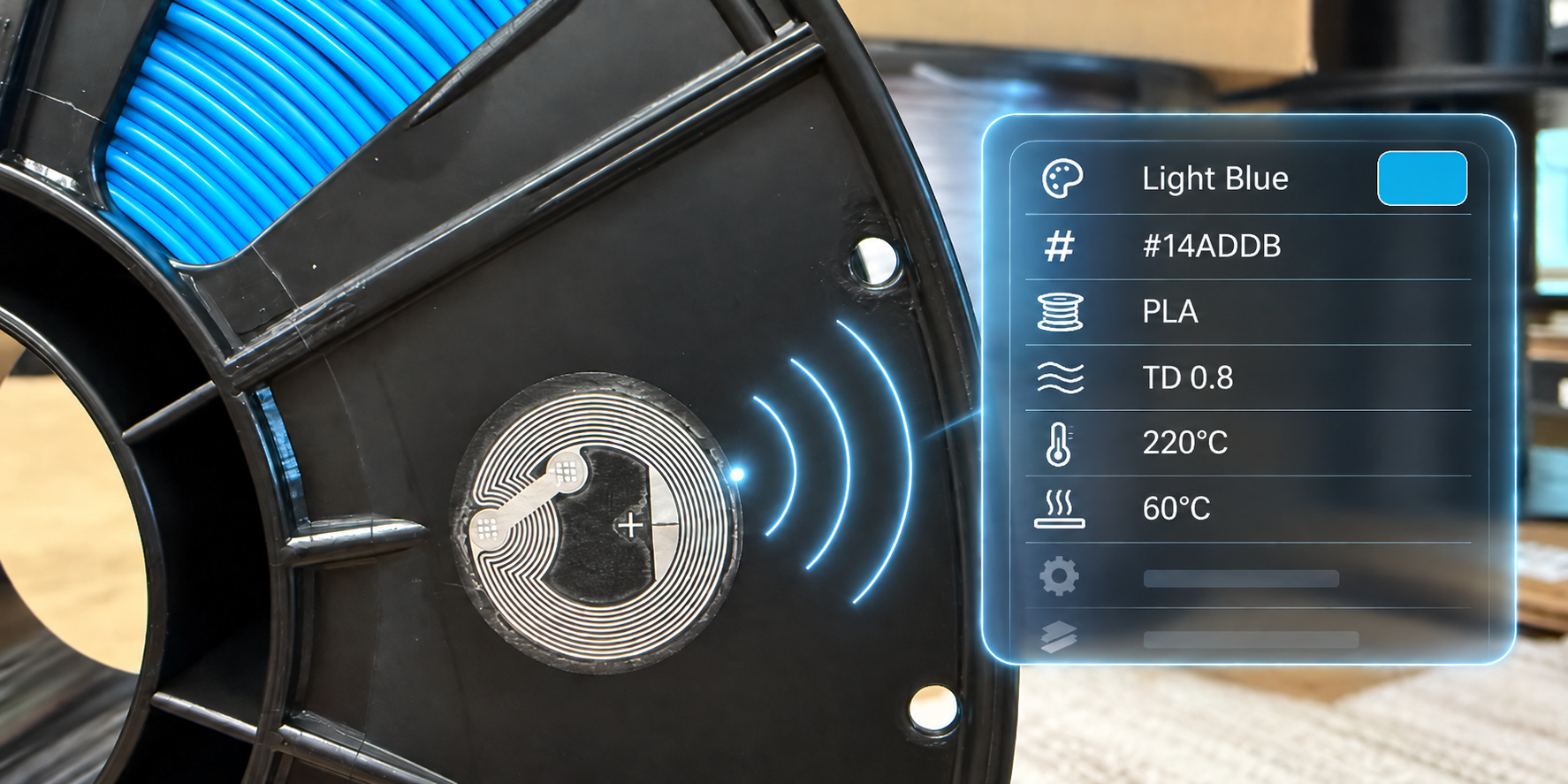
Save Time
Your spool can provide its configuration and profiles for you. Change materials or colors without manually changing your print settings.
Make Less Mistakes
Your printer can warn you when your settings fall outside the filament’s specifications, helping catch errors that could cause a print to fail before it starts.
Be More Organized
Every tag identifies its spool, including details such as color, material, and serial number. Use that information for inventory and organization that ties directly into your printers.
What can it enable?
OpenTag3D is a standard, not a single app or product. It gives projects a common set of data they can use to build features such as:
- Automatic slicer profiles: Load settings from the filament instead of finding and entering them by hand.
- Inventory management: Identify each spool uniquely and keep its material, color, and other details together.
- Automatic dryer settings: Select an appropriate temperature and duration for the material, reducing the risk of a drying mistake.
- Filament-remaining estimates: Use the tag as a rotation marker and combine it with the stored core diameter, or weigh the spool and subtract the stored empty-spool weight.
Note
These are capabilities the standard makes possible. Availability depends on the printer, slicer, accessory, or community project you use.
I’m sold. How do I start?
1. Use filament and projects that already support OpenTag3D
This is the easiest route: buy a tagged spool, then use it with a compatible printer, accessory, slicer, or community project.
For more details on the filament brands, projects, and companies that support the standard, see the current supporters and implementation status.
Supported Printers
| Logo | Printer | Support | Link |
|---|---|---|---|
 |
Bambu Lab Series Printers | Via Community Mods | BambuTagger (queengooborg’s fork) OpenSpool (with custom firmware) SpoolSense |
 |
Snapmaker U1 | Via Community Mods | paxx12 Extended Firmware (by enabling OpenRFID) SpoolSense |
 |
Prusa MK4 / MMU3 | Via Community Mods | SpoolSense |
 |
Other Klipper-based Printers | Via Community Mods | SpoolSense |
Note
If you are not sure how to get started with a community mod, please feel free to ask for help in our Discord.
Supported Filament Brands
| Logo | Brand | Filament Sold with Pre-programmed Tags | Online OpenTag3D Exports |
|---|---|---|---|
 |
Polar Filament | Yes (as of Q4 2026) | Yes |
2. Write your own tags
Buy compatible NFC tags, enter the spool information in Make a Tag, and write the result using one of the methods below. The specification is designed around NTAG215 tags; NTAG216 tags are also supported.
If the filament manufacturer offers an online OpenTag3D export (see above for a list), use it to fill in the product data automatically. Otherwise, you can enter the information yourself.
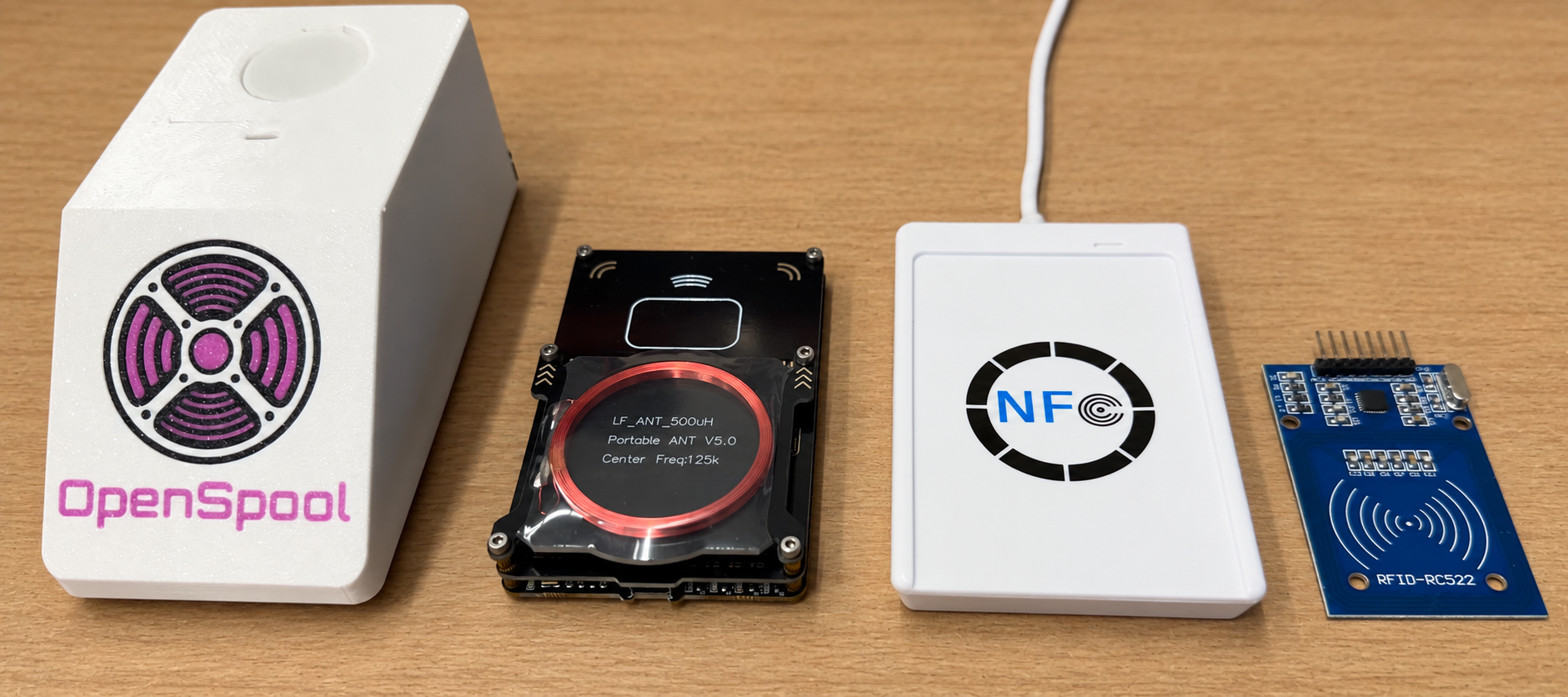
With a phone (recommended)
On Android, open the Make a Tag webpage in a Web NFC-compatible browser. You can create, read, and write a tag directly from the page.
On iPhone, OpenTag3D data can be read and written via third-party native apps. We recommend NFC Tools or SpoolSense as they has the best coverage of the spec fields.
Other mobile applications are available for reading and writing OpenTag3D data. Here is a list:
| Logo | Application | Platform(s) | Features | Spec Version | Notes |
|---|---|---|---|---|---|
 |
OpenTag3D Make Page | Android | Read Write |
v1, v2 | This can be installed like an app via Google Chrome on Android. |
 |
NFC Tools | iPhone | Read Write Modify Other Records |
v2 | Android support for OpenTag3D will be available at a later date. |
 |
SpoolSense | iPhone | Read Write |
v1, v2 | |
 |
SpoolFlux | iPhone | Read Write |
v1, v2 |
Building an app? Let us know so it can be added here.
With a computer (advanced)
- NFC Tools Desktop: Use a USB NFC reader such as the ACR122U (typically around $30) to read and write tags. Follow Polar Filament’s OpenTag3D NFC Tools guide.
- Proxmark3: Use this popular RFID development toolkit with the Proxmark3 export provided by Make a Tag.
With a Flipper Zero
Go to the Make a Tag webpage to generate the data, and then export the Flipper Zero .nfc file. Then, load the file onto your Flipper, either using qFlipper or directly to the SD card. You can then emulate or write the NFC data via the NFC app, just like any other NFC tag.
For developers
OpenTag3D is openly documented and its source is available on GitHub. Start with the specification, then use the existing source and community projects as implementation references.
The reader implementation guidelines cover the details most hardware and firmware integrations need first.
For manufacturers
OpenTag3D is free to adopt. There are no licensing fees, required vendors, or certification requirements. You can source tags and readers entirely on your own, manufacture your own solution, and implement as much of the open standard as your product needs.
There is no central service that your product must depend on. The essential filament data lives on the tag and works offline; optional web lookups can be hosted by the manufacturer or another provider. OpenTag3D is both open source and decentralized.
Please feel free to contact the project maintainers to discuss implementation. We can walk through the getting-started documentation, answer integration questions, and help you avoid common hardware and data-format pitfalls.
Help?
Not sure where to get started? Join our community Discord or contact the project maintainers and we’ll be happy to provide assistance!